Quick Start
Prerequisites
- Docker
- Docker Compose
Cloning the Repository
The first thing you will need to do is clone the latest version of the Burroughs source code:
git clone https://github.itab.purdue.edu/Burroughs/Burroughs
Building from Source
To build the Burroughs CLI, run the following:
./build.sh
To build the Burroughs browser interface, run
./build-webapp.sh
Starting up the Confluent Platform
Of course, Burroughs is not a standalone application but rather depends on a set of other services including:
- Kafka
- KsqlDB
- Kafka Connect
- A Schema Registry
- A PostgreSQL database
The Burroughs repository contains a Docker Compose file within which all of the necessary services are defined. This includes a slimmed down version of the Confluent Platform, a modified Kafka Connect image, and a PostgreSQL database tacked on. For now, we will use this minimal setup to test Burroughs. To learn how to configure Burroughs to use your own versions of these services see System Configuration.
First, you will need to build the custom Kafka Connect image:
cd SingleMessageTransforms
./build-connect.sh
To start the services, do the following:
cd ../Confluent
docker-compose up -d
Once that is done, give the system a few minutes to get started. You can use docker-compose ps to check on the status of the services. If any of them crash, don't panic: simply restart them again. If you get repeated crashes, see if you can increase the amount of memory allocated to Docker. We recommend at least 4-6 GB of memory allocated to docker when running this stuff. This is what it should look like if everything worked correctly:

Running Burroughs
Now that all of the necessary services are up and running, you are ready to run Burroughs. To start the CLI, execute the following from the root directory of the repo:
./run.sh
If you are on Windows, use the run-windows.bat script instead.
You should see something like this:

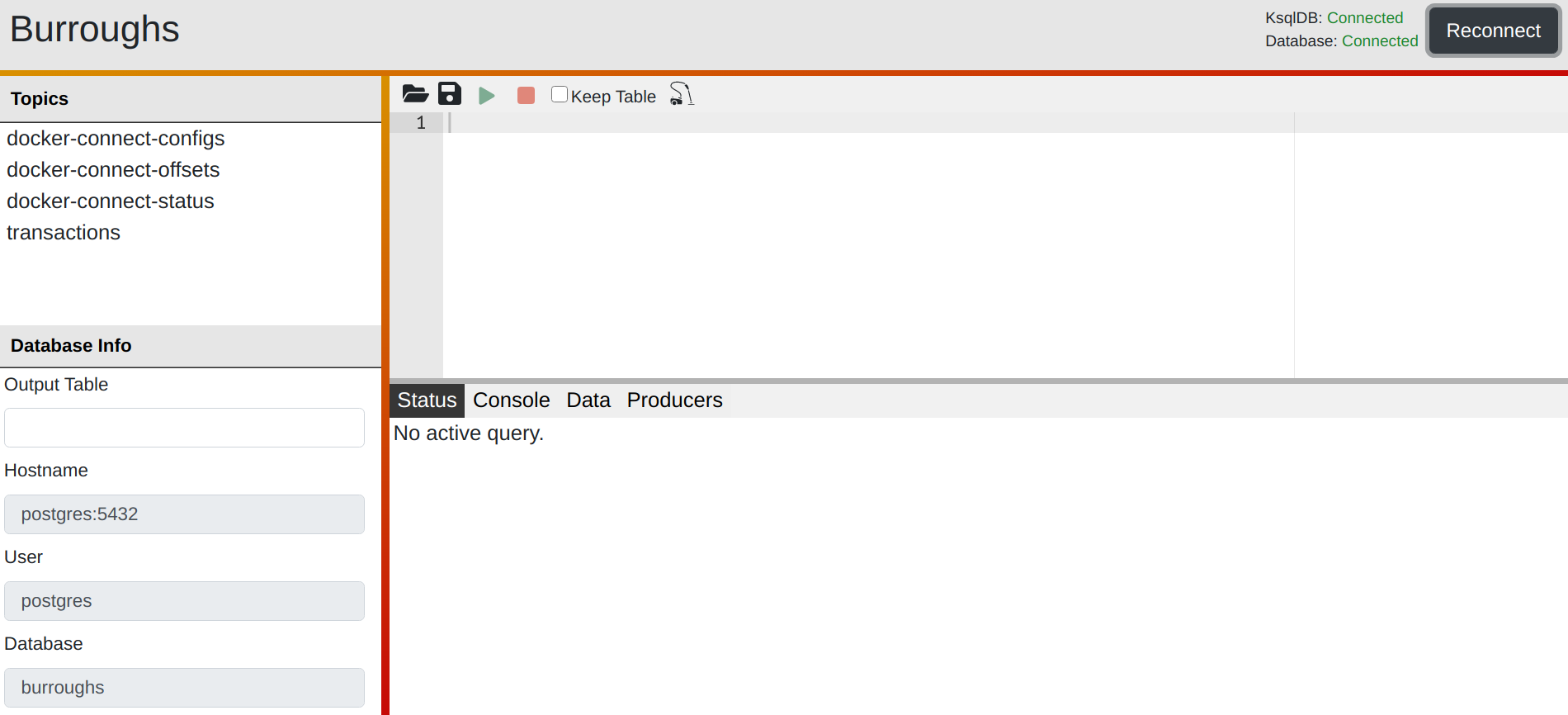
If would rather take the GUI-based route, you can use ./run-client.sh to run the browser client of Burroughs. Then navigate to localhost:5000 in your browser of choice to get started. If everything is working, you will see something like this:
Up Next
Now that you have Burroughs up and running, you are ready to start writing queries.
Want to run queries using the minimal Burroughs CLI? Checkout Using the Burroughs CLI. To work through the same tutorial in a graphical setting have a look at The Burroughs Browser Interface.